

Counter Blox is a full CS2/CS:GO Roblox remake that lets players try a fresh spin on Valve’s classic FPS. Released back in 2015, Counter Blox has been a popular Roblox game mode for a while now, and enjoyed a spike in popularity when the FaZe CS team faced off against Counter Blox’s number one team in a recent video. If you want to play Counter Blox and try this CS:GO-inspired game for yourself, read on to find out how to play for free.
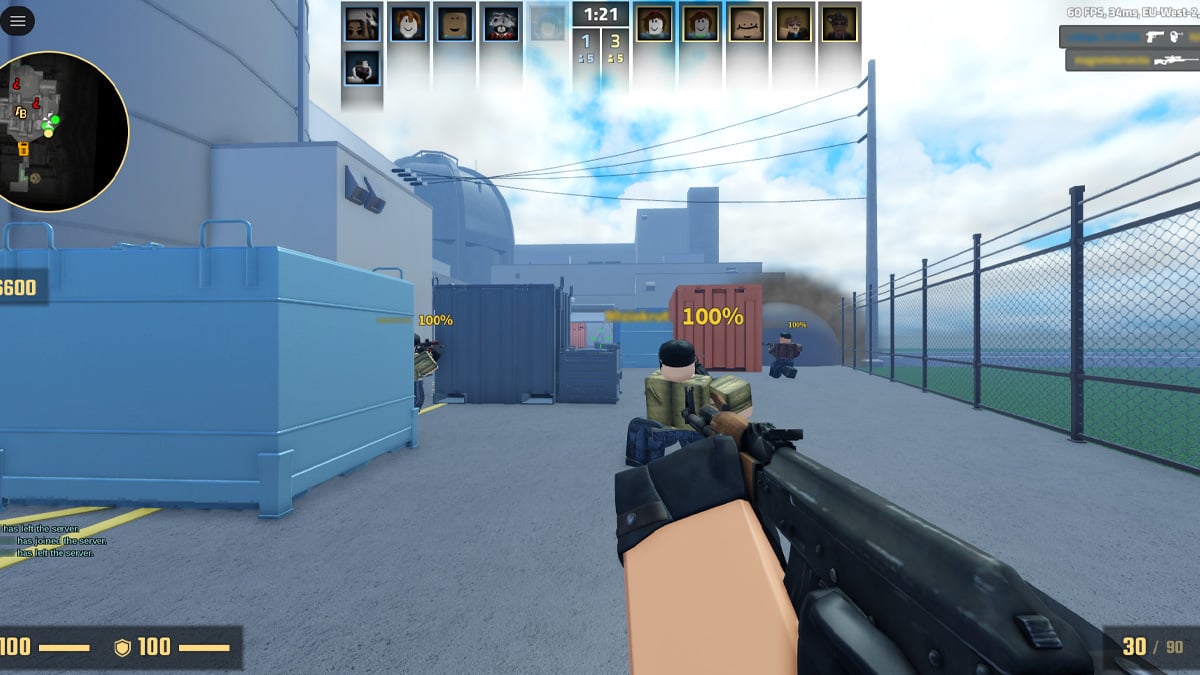
Counter Blox is everything you know and love about Counter-Strike, just a little blockier. As a full Roblox CS:GO remake, Counter Blox lets you play Bomb Defusal, Hostage Rescue or Deathmatch matches on a bunch of classic Counter-Strike maps, including Dust2, Cache, Inferno, Mirage, Train, and more. Everything has been faithfully recreated in Roblox, from the UI all the way to the character models.

There are even spray patterns and utility, ensuring that Counter-Strike’s famously high skill ceiling remains intact in Counter Blox. Skill is extremely transferable, especially if you align your Counter Blox settings with your CS2 settings.
Counter Blox does differ from Counter-Strike in some ways. Various weapons are different, although all of CS2’s most iconic weapons remain intact here. After all, what’s Counter-Strike without an AWP? Counter Blox also has its own skins, which you can buy with real cash. There are also limited-time challenges you can complete, as well as seasonal events, which is more than can be said for Counter-Strike in recent years.
It’s fair to say that Counter Blox is a lot of fun, and certainly a very interesting experience if you’re a long-time CS2/CS:GO player.
If you want to install and play Counter Blox yourself, it’s super easy to do and should only take a few minutes. First, you want to make a new Roblox account, and download the game on your PC. Once this is done, log in to the Roblox app, and search Counter Blox from the Home page. You can also find the Counter Blox page here.
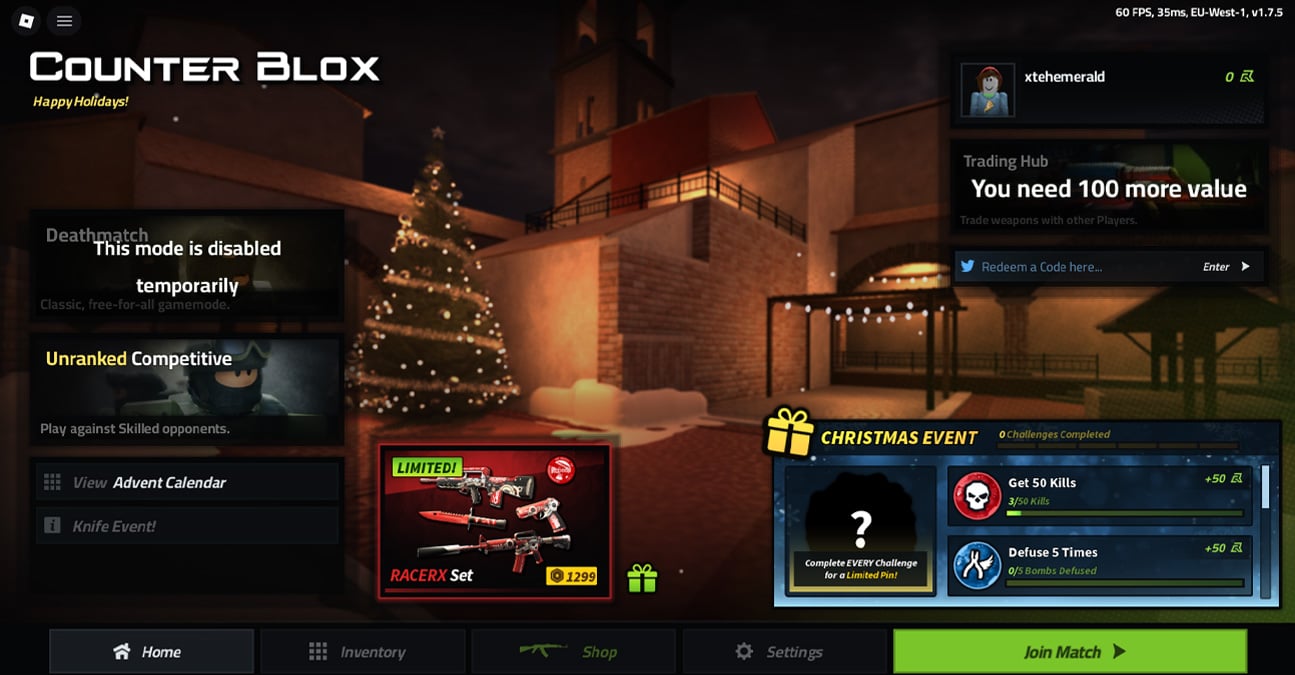
Hit the Play button, and Counter Blox will begin to load. When the game is fully loaded, you’ll be on the main screen (pictured below).

From here, you can access things like your Counter Blox settings and inventory, but also all the game modes you can play. Simply press the game mode you want to play, and when it tells you, “This will teleport you to a new Server,” press “Continue.” From there, press the big “Join Match” button in the bottom-left corner of your screen, and you’ll be in and ready to play Counter Blox CS:GO matches. When in the match, you’ll have to wait for a warm-up to conclude. After this, the real Counter Blox CS:GO action will start.
That’s all there is to it! If you just want a change of pace from playing CS2, then Counter Blox can certainly provide that. Will it be a long-term CS2 replacement for most players? Probably not, but as its own thing, it’s fun.
And stay up to date on all the latest trends in esports
By submitting your information you agree to the Privacy Policy and Terms of Use